
The video below walks you through using a fault code reader step by step.
It covers:
- Finding the Data Link Connector (DLC), also known as the OBD port
- Plugging in the scan tool
- Reading fault codes
- Clearing codes
You’ll also find extra tips below, along with links to tools and parts that make diagnosing faults quicker and easier.
Code Reader Tips
Before you even plug in the scanner, you need to find the OBD port.
On most vehicles built in the last 10 years, it’s easy to spot.
On older vehicles, not so much. Some of them are seriously well hidden.
Here are the most common locations:
- Under the steering wheel – usually behind a small trim panel
- Glove box – sometimes behind a removable cover
- Fuse box – occasionally integrated into the interior fuse panel
- Ashtray – common on older vehicles
- Cup holder area – hidden beneath trim
- Centre console – inside the storage compartment
- Dash storage compartments – often tucked behind a small panel
If you still can’t find it, a quick image search for your model usually solves it fast.

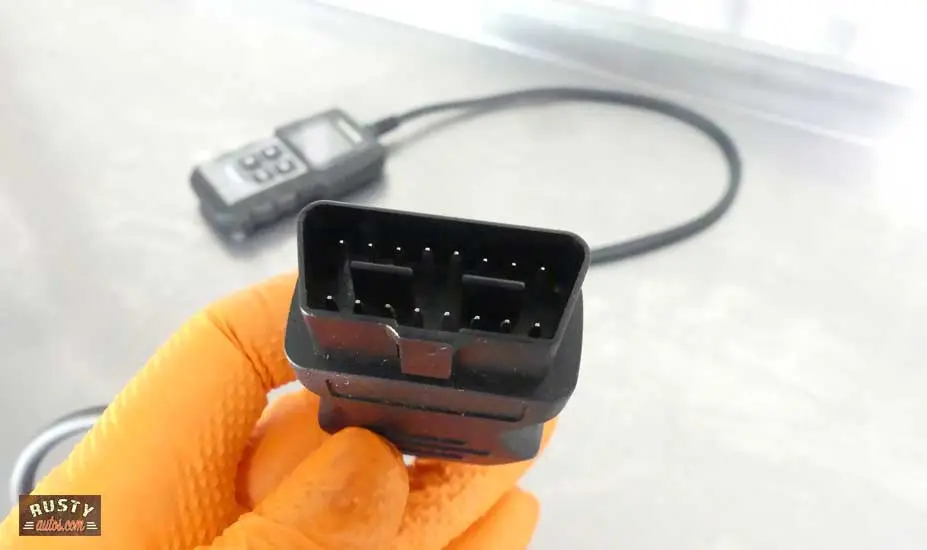
Scan tools plug will only fit one way
Reading Codes
Reading codes is straightforward.
Turn the ignition on (position two) so the scanner can communicate with the car.
If you forget, most scanners will prompt you.
One thing to know:
Basic code readers usually only read powertrain codes (engine and transmission).
If you’re chasing faults in systems like:
- ABS
- Airbag (SRS)
- HVAC
…you’ll need a more advanced scan tool.
Also, avoid leaving the ignition on too long without the engine running.
It can drain the battery, especially on diesel vehicles.
If you’re doing extended testing, use a battery maintainer.


I wrote a post about using the Topdon code reader here. Topdon vs Autel
Clearing Codes
Clearing codes is just as easy as reading them.
But before you clear anything, record the code.
A quick photo on your phone works well.
This helps a lot with intermittent faults.
Clearing the code doesn’t fix the problem.
If the fault is still there, the warning light will come back:
- Immediately after restart
- Or after a few drive cycles
The system is just telling you the issue still exists.
Fault Finding Tools
Here are the tools I recommend for troubleshooting fault codes.
The Topdon is a perfect code reader for the glovebox of your car, it’s small and effective. Note this scanner will only read powertrain fault codes (engine and transmission). It’s conveniently delivered to your door by Amazon.com.


If you need a tool that can interrogate other systems like SRS, ABS, etc you’ll need a higher-end scanner. Check out the Autel MaxiCOM below.


A Power probe is an excellent tool to have around. Great for testing circuits, relays, fuses, checking battery voltage, checking alternator output, checking the ground, volt drop testing. I’ve had a power probe forever and it’s still going strong.


The NOCO genius battery charger is what’s known as a smart charger also known as a battery maintainer or trickle charger. They are smart because they detect the battery state of charge and automatically turn it off and on as needed.



Visit our DIY Car Maintenance page and level up your car care skills — or keep the quick-reference version below in your glovebox.
Look inside on Amazon.com
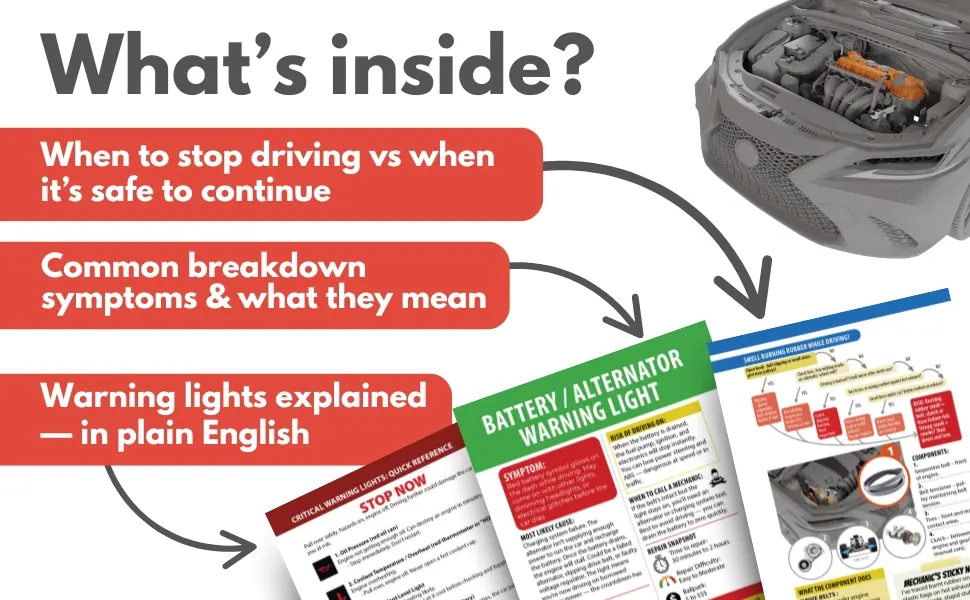
Look inside on Amazon.com
- About the Author
- Latest Posts


John Cunningham is an Automotive Technician and writer on Rustyautos.com. He’s been a mechanic for over twenty-five years and has worked for GM, Volvo, Volkswagen, Land Rover, and Jaguar dealerships.
John uses his know-how and experience to write articles that help fellow gearheads with all aspects of vehicle ownership, including maintenance, repair, and troubleshooting.